

 English





































































































































































































































































































































































































































































































































































































































































































































































































































































































































































































































































































































































































































































































































































































































































































































































































































































































Top 5 Digital Mixer Features Every User Should Know

Mixing sound used to require large consoles, racks of processors, and a maze of cables. Engineers adjusted several pieces of equipment just to shape a single mix. Modern systems have changed that approach. Today, one console can control effects, routing, monitoring, and recording at the same time. These tools save space and reduce setup time, but they also introduce many new functions.
If you understand the main features, the mixer becomes easier to use and far more powerful. This guide explains the functions that shape modern sound mixing and how they help you manage audio with more control and flexibility.
Essential Features That Define Modern Digital Mixers
Modern mixing systems combine many tools inside one unit. You adjust levels, shape tone, manage outputs, and store settings without leaving the console. These tools help during live shows, rehearsals, and recording sessions. Once you understand how these functions of digital mixer work, the mixer feels less like a complicated machine and more like a clear control center for sound.
-
Built-In Effects and Signal Processing
Many mixers include internal audio effects that shape sound directly from the console. In older setups, engineers connected separate equipment for each effect. That method required more cables and extra setup time.
With built-in processing, you can adjust sound instantly. Common effects include reverb, delay, compression, and equalization. Each one changes a different part of the signal. Reverb adds depth to vocals or instruments. Delay repeats a signal and creates rhythmic echoes. Compression balances loud and quiet parts. Equalization shapes tone by boosting or reducing certain frequencies.
These tools allow you to shape a mix without adding outside gear. You can apply effects to one channel or share them across several channels. This setup keeps the signal path simple and organized.
Built-in processing also helps during live events. When a singer needs a little more presence or an instrument sounds too sharp, you adjust the settings quickly. The sound changes instantly, and the performance continues without interruption.
-
Flexible Routing for Better Signal Control
Routing determines where each audio signal travels inside the mixer. A microphone signal might go to the main speakers, a stage monitor, and a recording track at the same time. Flexible routing makes this possible.
Inside modern digital mixers, you can direct signals to many destinations. You might send a vocal channel to a stage monitor so the singer hears it clearly. At the same time, you can route the same channel to recording outputs. Each path works independently.
Routing also helps when you group channels together. For example, you can place several drum microphones into one subgroup. When you adjust the subgroup level, all drum channels move together. This approach saves time and keeps the mix balanced.
Clear routing also helps during complicated shows. Large events often involve many microphones and instruments. When signals flow through organized paths, the engineer can adjust sound without confusion.
-
Scene Recall and Preset Management
Live sound environments often change from one performance to the next. A band finishes its set, another group arrives, and the entire mix must shift quickly. Scene recall helps you manage these changes.
A scene stores the complete mixer setup. It saves channel levels, equalizer settings, effects, and routing paths. When you load the scene later, the mixer returns to the saved configuration.
This feature saves a lot of time. Instead of adjusting every control again, you recall a stored scene and the system restores your mix instantly. Sound engineers use this feature for concerts, conferences, and theater productions where multiple setups occur during the same event.
Preset management also becomes helpful during regular work. You may create presets for different instruments or vocal styles. When you need a starting point, you load the preset and adjust small details from there.
-
Touchscreen and User-Friendly Interfaces
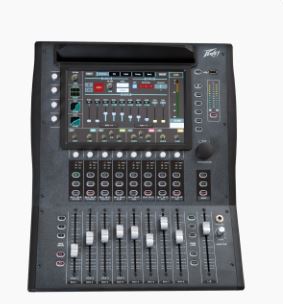
Many modern consoles include touchscreen displays that simplify control. Instead of searching through rows of knobs, you view channels and settings on a clear screen.
The touchscreen allows you to select channels quickly. Once selected, the screen shows detailed information about equalization, dynamics, and effects. You adjust parameters by touching the display or using nearby controls.
Visual feedback helps you understand what is happening inside the system. Meters show signal levels, and graphs display frequency adjustments. This information makes it easier to track changes while mixing.
Touch interfaces also help new users learn the system faster. The layout often follows simple menus and labeled sections. As you work with the mixer, the screen becomes a helpful guide rather than a confusing panel of buttons.
-
Remote Control and Wireless Mixing
Many mixers now support wireless control through mobile devices or computers. With this feature, you adjust the mix without standing directly at the console.
A tablet or smartphone can connect to the mixer through a network. Once connected, the device shows the same channel controls and settings found on the console. You move around the venue while adjusting levels and effects.
This ability helps during sound checks. Instead of relying on someone else to test microphones, you can walk to different areas of the room and hear how the mix sounds. If something feels unbalanced, you adjust it on the spot.
Wireless control also allows musicians to manage their own monitor mixes. A performer can adjust the sound they hear on stage without asking the engineer for constant changes.
Conclusion
Sound mixing continues to evolve as technology grows more advanced. New consoles combine audio control, processing, and recording in a single unit. When you learn the features inside digital mixers, you gain more control over how sound moves and changes during a performance.
The tools may seem unfamiliar at first, but they quickly become part of your routine. As sound systems continue to develop, mixers will likely offer even more flexible ways to shape audio and manage live production. Understanding these features today prepares you for the direction modern sound engineering continues to move.